Hitsu
An open source password manager with no subscription and no cloud.
Hitsu is a native desktop app for macOS and Linux that reads and writes standard
KeePass databases (.kdbx, KDBX4) — the same format KeePass, KeePassXC,
and KeePassium use. Everything happens on your machine. There is no account to
create, no server to trust, and no monthly bill: your vault is a single encrypted
file that you own, and any other KeePass client can open it if you ever want to
walk away.
It is written in Rust on Tauri 2 with a Svelte 5 interface, so it starts fast, stays small, and behaves like a real desktop app instead of a browser tab.
Open source No subscription Local only Rust Svelte 5 Tauri 2 KDBX4 macOS Linux
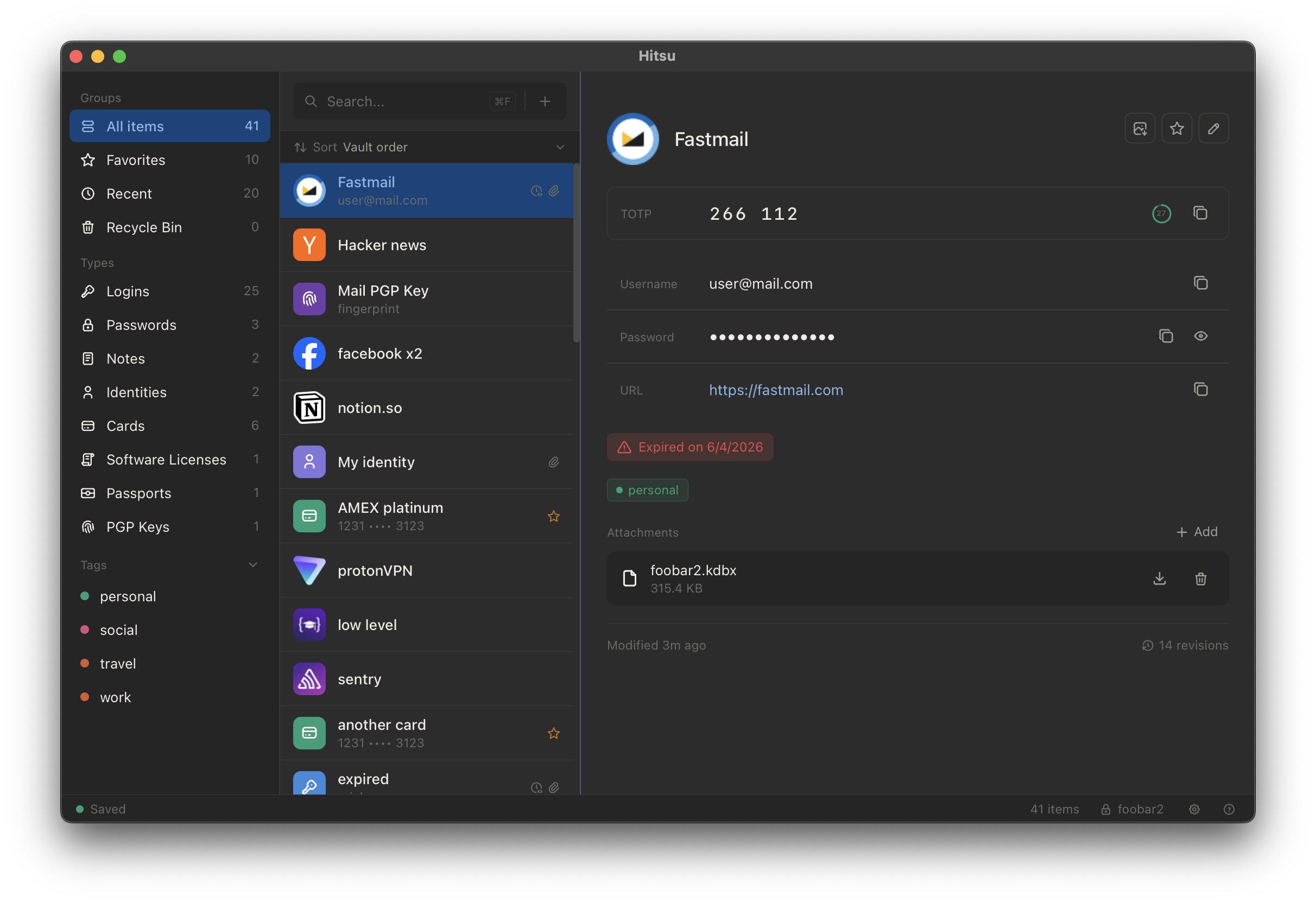
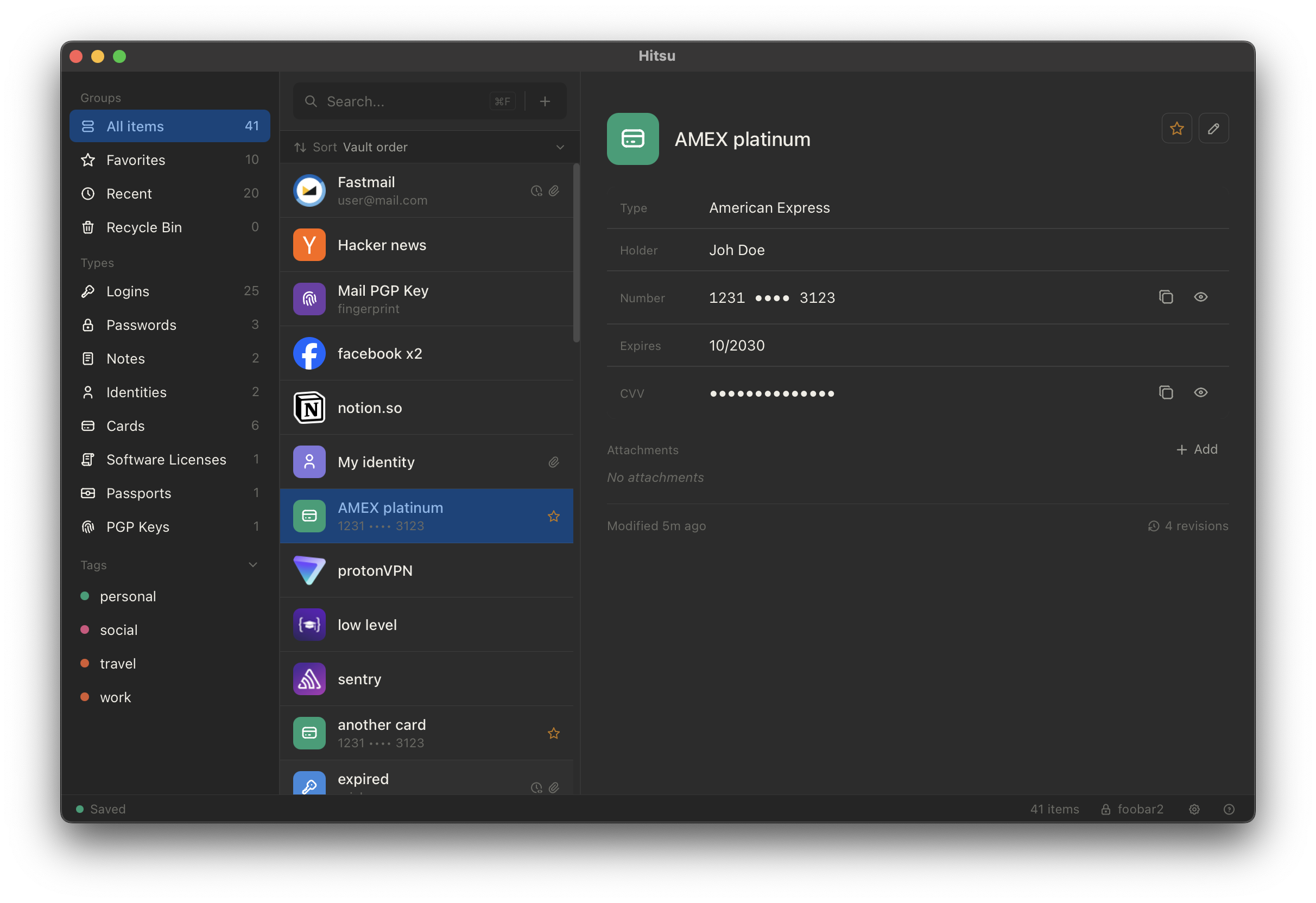
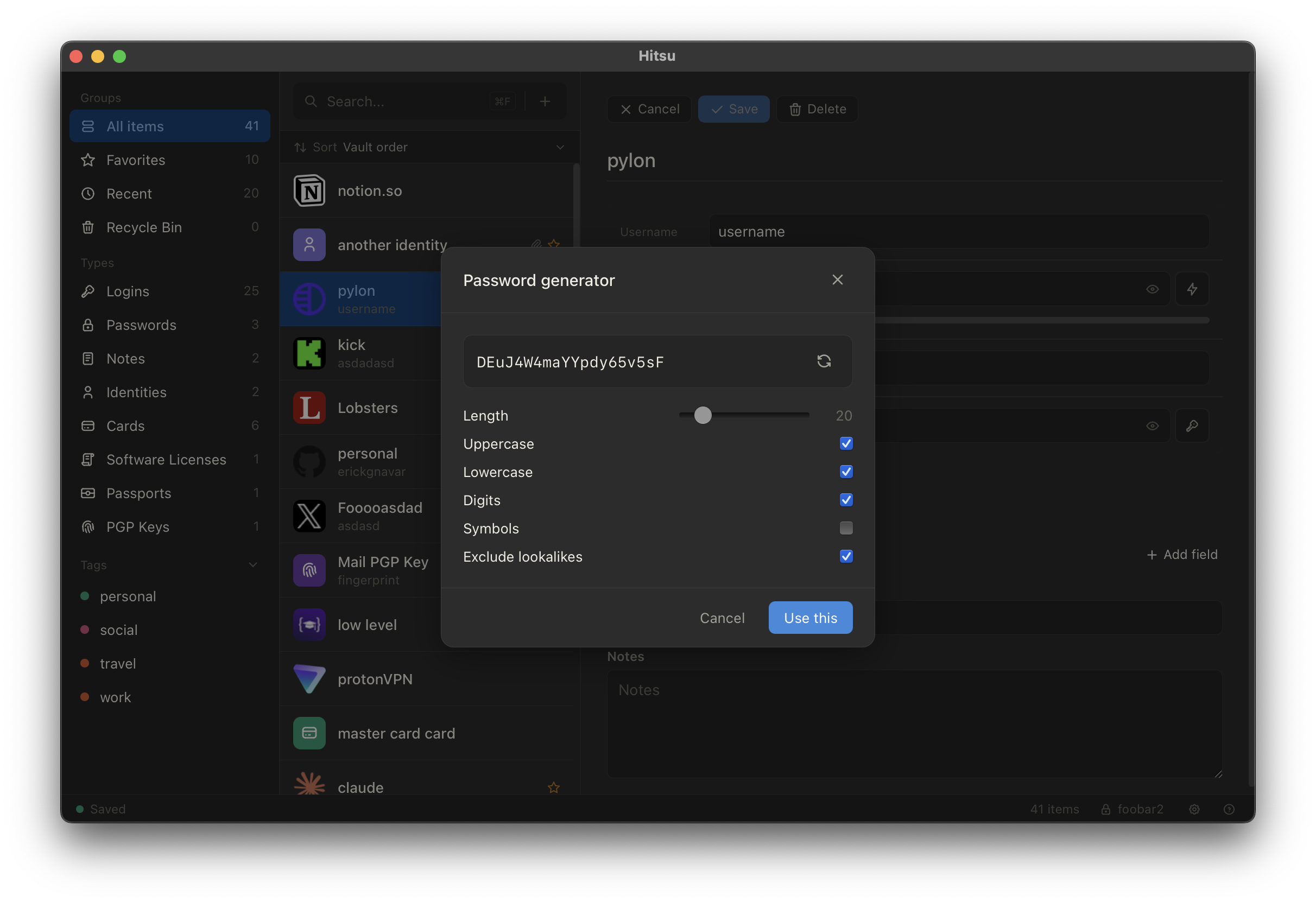
See Hitsu in action
No subscription. Not now, not later.
- → There is no paid tier. No trial that expires, no seat count, no feature held back behind a plan. We are not going to bolt a subscription onto Hitsu later, either — the whole point of the thing is that you shouldn't have to rent access to your own passwords.
- → It's open source. The full app is on GitHub — read it, audit the crypto, build it yourself, fork it. A password manager asks for more trust than most software, and the only honest answer to that is source you can check.
- → It's local only. Hitsu has no backend. Your vault never leaves your disk unless you move it, because there is nowhere for us to send it.
- → Sync stays your choice. Want the same vault on your laptop and desktop? Drop the
.kdbxfile in Dropbox, iCloud Drive, Syncthing, Google Drive, or a private Git repo. You pick the service, you keep the account, and you can change your mind without exporting anything.
Features
Your vault, your entries
- → Open, create, and manage KeePass databases (
.kdbx) - → Eight entry types: login, password, note, identity, card, license, passport, and PGP key
- → Favorites, tags with autocomplete, entry history, expiration dates, file attachments, and custom fields
- → KeePass-compatible Recycle Bin, with restore and permanent delete
Security by default
- → Locking the vault zeroizes the master key in memory — plus idle lock, sleep lock, and OS session lock
- → Atomic writes and external-modification detection, so a sync conflict can't silently eat your changes
- → Constant-time password comparison
- → Process hardening: core dumps disabled, debugger attachment blocked in release builds
- → Privacy screen conceals the app when the window loses focus
- → Clipboard auto-clear with smart clear, so it won't wipe something you copied afterwards
Fast day to day
- → Real-time search across every field, with sidebar filters and keyboard shortcuts
- → TOTP codes with a live countdown ring and auto-refresh
- → Configurable password generator (8–100 characters, optionally excluding lookalike glyphs)
In the browser
- → Extensions for Chrome and Firefox fill credentials straight from the desktop vault Developer Preview
The extensions are an early preview — expect rough edges, and please report what you hit on GitHub Issues.
Install
Latest release: v0.7.0 — see all versions on GitHub Releases.
macOS (Apple Silicon) — download the disk image:
Or via Homebrew:
brew install --cask ruaylabs/tap/hitsu
Linux:
- AppImage: Hitsu_0.7.0_amd64.AppImage
- Debian / Ubuntu: Hitsu_0.7.0_amd64.deb
- Fedora / RHEL: Hitsu-0.7.0-1.x86_64.rpm
Prefer to build it yourself? The full source and build instructions live in the repository. No signup, no license key, nothing to activate.
First run
Point Hitsu at an existing .kdbx file to pick up where you left off,
or create a new database and choose a master password you can actually remember.
Nothing is uploaded anywhere. If you want the vault on more than one machine, put
that file in a folder you already sync — Dropbox, iCloud Drive, Syncthing, or
anything else that keeps a directory in step across your devices.
FAQ
- What does it cost?
- Nothing. Hitsu is open source and free to use, with no subscription tier planned — see Install and start using it.
- What's the catch, then?
- There isn't an upsell waiting. Because Hitsu is local only there's no hosting for us to fund, and the source is public so you don't have to take our word for any of it.
- Can I sync my vault between machines?
- Yes, using whatever you already use. The vault is one
.kdbxfile, so Dropbox, iCloud Drive, Syncthing, Google Drive, or a private Git repo all work. Hitsu detects when the file changed underneath it and writes atomically, so a sync race won't quietly lose your edits. - Where is my data stored?
- In your
.kdbxfile, wherever you put it. Hitsu has no accounts, no server, and no hosted vault. - Will it open my KeePassXC database?
- Yes. Hitsu reads and writes KDBX4, so databases move between Hitsu, KeePass, KeePassXC, and other KDBX4-compatible clients.
- Is there Windows support?
- Not today. Hitsu ships for macOS and Linux.
- Do I need the browser extension?
- No — the desktop app is fully usable on its own. The extension is a convenience for filling logins, and it is still a developer preview.
- Found a bug or want a feature?
- Open an issue on GitHub, or email us.
Links
GitHub · Releases · Issues · Chrome Extension · Firefox Extension